

Stable Build
Public release soon
The public installer will appear here once the first stable release is ready.
A voice command control app for fast per app audio control and game launching. Set profiles, automations, and custom commands to make your ideal audio setup easy to reach and switch between. Ask Scerion to do anything you'd like without lifting a finger, and continue with your tasks faster than ever before.
The website is the public home for Scerion. Patreon handles paid membership, exclusive posts, early builds, and member-only updates.
The public installer will appear here once the first stable release is ready.
Join Patreon to get access to premium tiers, exclusive posts, and Early Build access before new features roll into the stable channel.
Stable and Early Build changes stay in one public timeline, while Patreon posts can carry the deeper supporter context and testing notes.
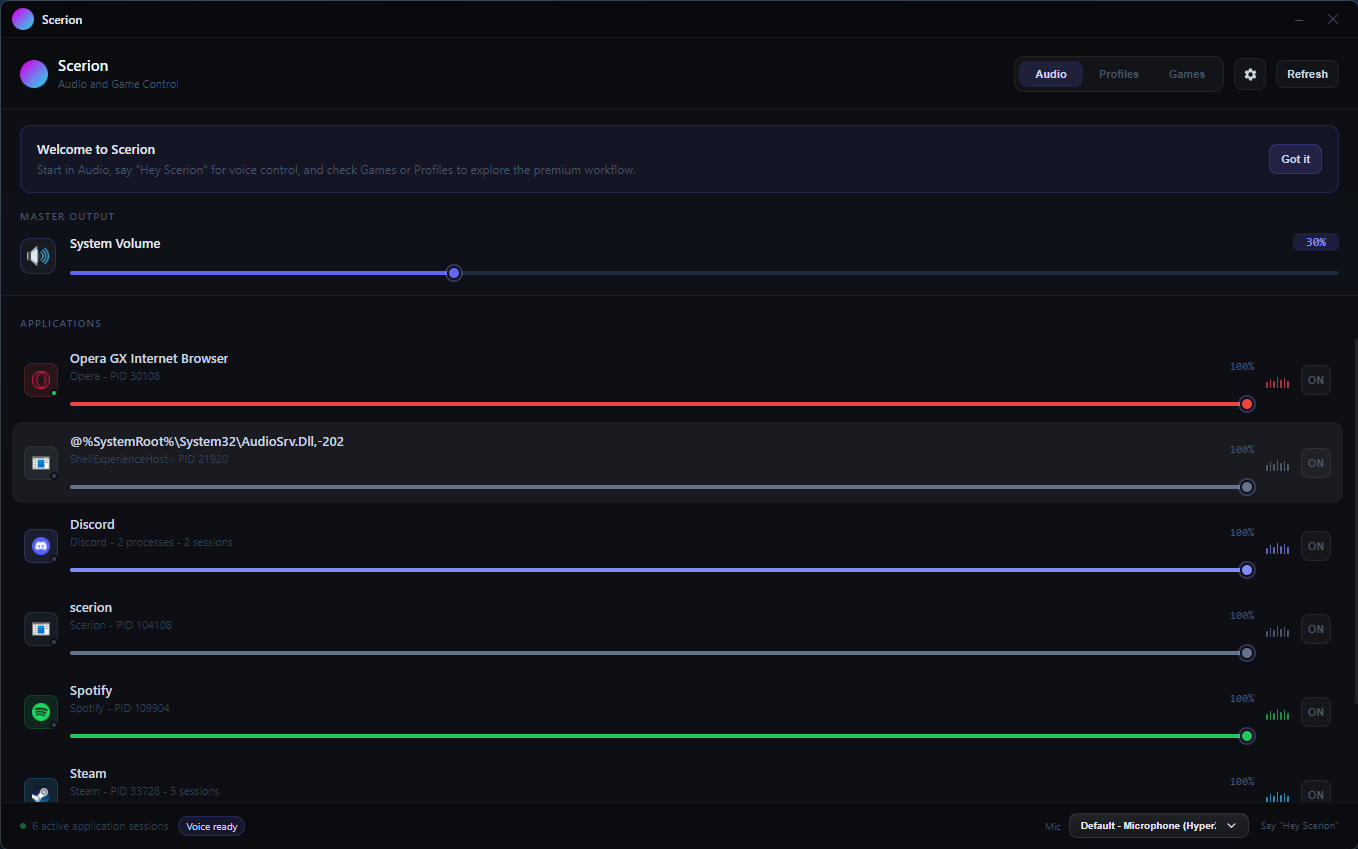
Scerion is strongest when you're moving between games, Discord, music, and changing room context without wanting a pile of tiny utility windows.
Adjust the volume of each application independently without switching between multiple windows.
Control Scerion with simple voice commands, making it easy to adjust your audio setup without reaching for the mouse. Alternatively, use keybinds to bypass wake word detection.
Quickly switch between different audio configurations for different scenarios.
Launch and manage your games directly from the Scerion interface, supporting popular game distribution platforms.
Pair game launches with set profiles to automatically apply your preferred audio configuration upon launch.
Design personalized voice commands to control Scerion's features with your favorite phrases.
Pin your most-used audio controls for instant access, saving you time and effort.
Control your music playback directly from the Scerion interface with intuitive music widgets that stay on top of almost all applications. Voice control is also available for hands-free operation.
Create and manage a collection of sounds that you can play with a single click or voice command.
The free tier is meant to be usable every day. Patreon tiers adds premium feel and headroom for power users.
£0
£3/mo
£7/mo
View the public changelog for stable releases and Early Build updates. Patreon posts can provide the behind-the-scenes context and testing notes that go into development.
Scerion's docs are meant to help people understand how to talk to the app, what commands tend to work best, and how features like profiles, automations, and custom commands fit together.
Install, check your microphone, learn wake word or keybind command mode, and get your first profile saved.
See the phrases Scerion typically understands for master volume, app volume, profiles, games, and custom commands.
Common things to check when wake word, updates, or audio sessions behave strangely on a new machine.
Yes. Free includes voice control, one profile, one automation, and one custom command so you get a taste of the app before upgrading.
Patreon allows myself to sustain the development of Scerion by providing a direct way for supporters to contribute to the project. In return, supporters receive exclusive content and early access to new features.
Scerion's subcription plans are a live service model, not a static file download. Your subscription directly powers the external cloud VPS used to bring the everyday features you need up and running. It also funds continuous backend development, allowing myself to build and deploy complex, zero-setup automation scripts every month so you never have to learn how to code or script macros.
Early Builds are released to Patreon supporters before the public stable release. They include new features and improvements that are still in development.
No. Scerion ships as its own installer and bundles what it needs for the live app experience.